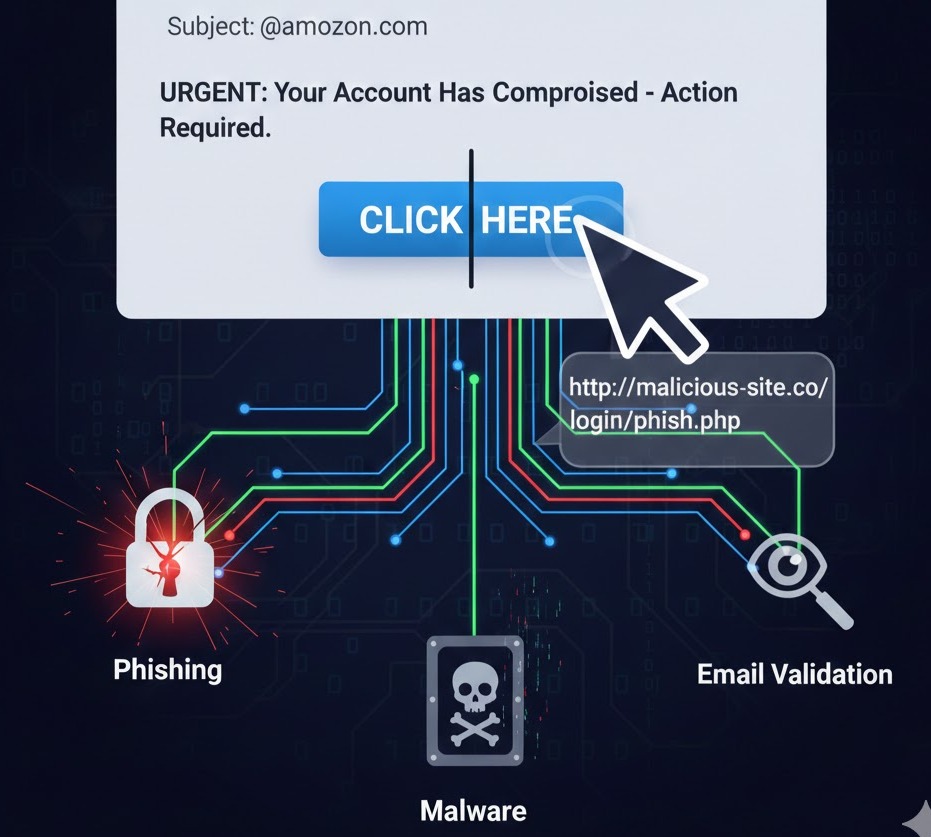
Think Before You Click: Why Email Links Aren’t Always Safe
We’ve all been there: an email lands in your inbox that looks important. Maybe it’s a “shipping update” for a package you don’t remember ordering, or a “security alert” from your bank. Your first instinct is to click the link provided to “fix” the problem.
But in the world of cybersecurity, that single click can be the difference between a normal Tuesday and a digital nightmare. Understanding email link safety is one of the most important skills you can have in the modern age.
Here is why you should always think twice before clicking.
1. The Trap of Phishing
Phishing is the most common reason email links are dangerous. These emails are designed to look exactly like they come from a trusted source—like Netflix, Amazon, or your employer.
The link doesn’t take you to the real website; instead, it leads to a spoofed page designed to steal your login credentials. Once you enter your username and password, the attackers have full access to your account.
2. Drive-By Downloads and Malware
Sometimes, you don’t even have to “do” anything on the website for the damage to occur. Some malicious links trigger what is known as a drive-by download.
As soon as the page loads, a script runs in the background that installs malware, ransomware, or spyware onto your device. This can happen in seconds, often without any visible warning or pop-up.
3. URL Masking and Shorteners
Cybercriminals are experts at deception. They often use techniques to hide the true destination of a link:
-
Hyperlink Masking: The text might say
www.yourbank.com, but the actual underlying URL points to a completely different, malicious site. -
URL Shorteners: Services like Bitly or TinyURL are great for social media, but in an email, they hide the final destination, making it impossible to see where you’re going before you click.
4. Validating Your Email Address
Believe it or not, sometimes the goal isn’t to steal your password immediately. Clicking a link in a spam email confirms to the sender that your email address is active and that you are someone who clicks on links. This makes your email address more valuable to hackers, who will then target you with even more sophisticated attacks or sell your “active” status to other scammers.
How to Stay Safe
-
Hover Before You Click: On a computer, hover your mouse over the link (without clicking!). The real destination URL will usually appear in the bottom corner of your browser or email client.
-
Check the Sender’s Address: Don’t just look at the “Display Name.” Click on the sender’s name to see the actual email address behind it. If it’s a string of random numbers or a misspelled domain (like
[email protected]), delete it. -
Go Directly to the Source: If you get a suspicious alert from your bank or a service provider, don’t use the link in the email. Open a new tab and type the official website address yourself.
-
Use Multi-Factor Authentication (MFA): Even if a link tricks you into giving up your password, MFA can prevent a hacker from actually entering your account.